|
Новые модели:
Huawei Mate 30 Pro
Huawei Mate 30
iPhone 11
iPhone 11 Pro
iPhone 11 Pro Max
Samsung Galaxy Note10+
Samsung Galaxy Note10
Honor 8S
BQ 2818 ART XL+
BQ 1846 One Power
Xiaomi Mi A3
Huawei P smart Z
Huawei Y5 (2019)
Huawei P30 lite
Samsung Galaxy A80 (2019)
Новые обзоры:
Samsung Galaxy S10 Lite
Samsung A51
Panasonic TOUGHBOOK P-01K
HTC Wildfire E1 и E1 Plus
Redmi Note 8T
Vivo V17
Samsung A20s 2019
Oppo A9 2020
BQ Magic S
Philips S397
|
Review of SonyEricsson P800 smartphone.Part I.
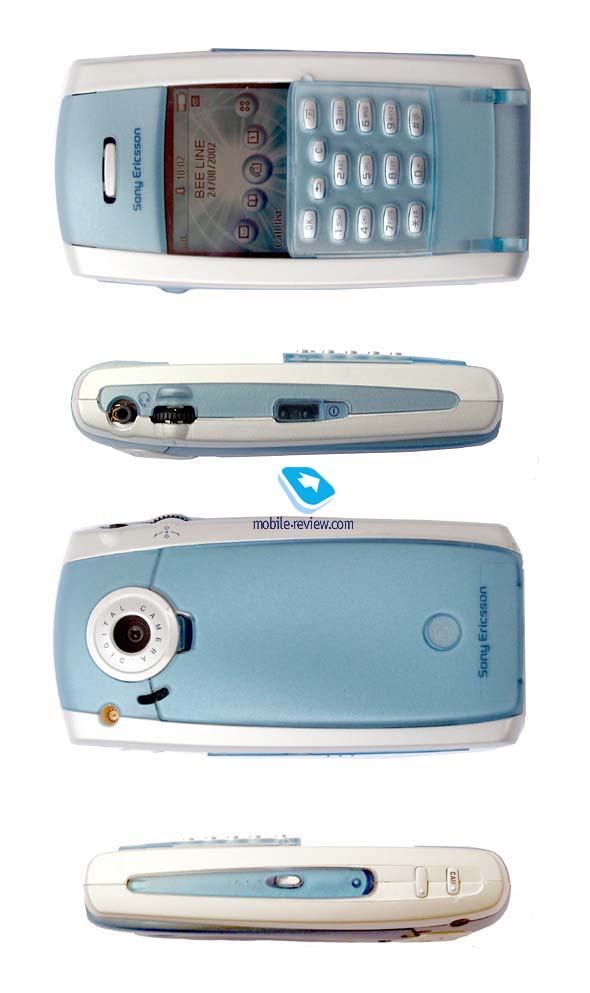
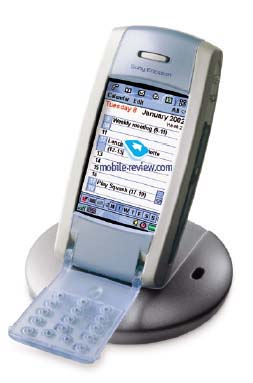
This smartphone or mediaphone (according to the manufacturer) was one of the most desirable handsets in the year 2002. It was planned to launch P800 in autumn but than the data was postponed to the 4 quarter. P800 has only one competitor in its class - Nokia 7650. It works under Symbian OS control, it has an integrated camera and almost the same features. However, the phones have some specific differences which I hope we'll discuss next time. P800 is produced only in one colour - Silver White. The dimensions of this device are quite large (117x59x27mm), it's not comfortable to wear it in jeans or in the breast pocket. The phone looks nice in case, it is larger than other modern phone but you don't feel any discomfort while wearing it though it weighs 158g. If you remove the flip key-pad you can reduce the phone mass by 10 grams. But it's not easy to do this operation, though all the steps are thoroughly written in the manual - guide. During my experiments I hardly didn't break the holders of the key-pad. Phone design is very unusual. If you look at the phone, you'll see that the key-pad occupies only half of the phone's height and it is used as a cover for a touchscreen. While using the key-pad you just substitute stylus taps for keystrokes. The similar solution was used in Ericsson R380 which also had a touchscreen. If you can open or remove the flip key-pad the phone will switched to the full-screen mode. An on-screen key-pad works in this mode too. You can see it on the photo below. 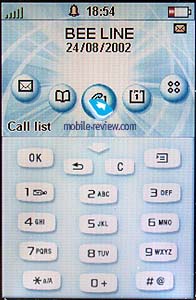
In contrast to other phones from SonyEricsson some new keys were added here: the Ok key (a soft-key that is used for the confirmation of the information), the back key that takes the user one step back while the menu navigation (the function of clear or reject keys in previous models) and the menu key. The latter is used to access different menus depending on where the user is in the menu system. The keys are highly visible at night, touchscreen itself is used as a backlighting. On the contrary in a daylight symbols on the keys are not clearly visible because of the too small font size. The keys are made of plastic, they respond well if you press them up to the stop. The keys are spaced rather far from each other, it's impossible to dial a phone number quickly. Of course we shouldn't forget that a key-pad is only an additional accessory for such device, some kind of a luxury, which is used only for dialing. So we can be satisfied by it quality. The screen has a resolution of 208x144 pixels (40x28mm) with the closed flip, when the flip is opened or removed the resolution is 208x320 pixels (40x61mm). It is non-reflective and retains visibility in all conditions. The screen shows 4096 colours (12-bit colour depth). Sometimes it's easy to read the text even without backlighting. You see only a part of the working screen when the flip is closed. The advantage of the key-pad is also in protecting the screen from the contact with your cheek while talking. As a result the screen doesn't become dirty quickly. 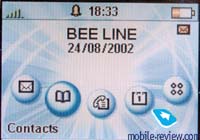
Naturally there is a stylus in a standard kit contents which you can find on the right backside. To take it off you should pull it up. It seems to me that the style of the stylus is a little bit different from the whole design, the stylus is lucent and light, but it functioned quite good. 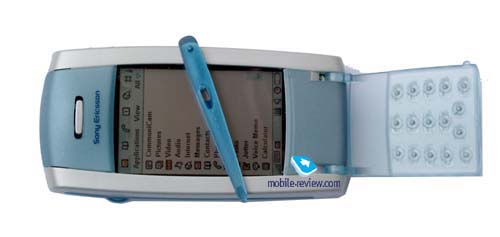
Two more keys are placed on the right-hand side: the upper one is used for browsing WAP sites, the lower one is a shutter button. It provides a shot-cut to camera application in the standby mode. A camera lens is positioned on the back of the phone, it doesn't cover with a shutter, and hence, it is sensitive for dust and moisture. Later I will tell more about the photos quality and the usage of integrated camera. On the left of camera lens there is an external antenna connector and an office handsfree speaker, the latter is also used for incoming calls signals reproduction. A handsfree connector and JogDial are placed on the left-hand side. No doubts that JogDial is a feature from Sony products, it simplifies and speeds up the navigation. JogDial can be rotated in five directions. You can turn it in a vertical plane to scroll the lists, press it to confirm the choice or deflect it up/down to enter/exit a menu. There were no problems with the JogDial navigation during the practical tests. There are also an infra-red port and a power button on the left-hand side. A system connector which is similar to other phones from SonyEricsson is placed on the bottom of the phone. Thus, almost all accessories of a new smartphone are compatible with modern phones. 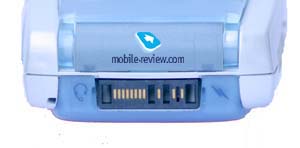
Some words about the battery. Here is used a lithium-polymer accumulator of 1000 mAH capacity. As manufacturer declares the smartphone can work up to 400 hours in the standby mode and up to 13 hours in the talk mode. In the reality the values are much lower. In case of active usage (20 minutes of talking and about 1 hour using of different applications such as loudspeaker, calendar, alarm-clock, games) the phone worked only one day and a half. Without using power-consuming features (games, video player and others) it worked 2 days. A brightness of backlighting was maximal in two cases. In the safe-power mode (without screen backlighting, only talks with a help of handsfree) the phone worked 4 days but it's not interesting at all. There are many cheap phones that can be used for it. Summing up I can say the average time of the phone autonomy is 2 days, after that it's necessary to recharge it. The total time of recharging is a little bit more than 4 hours. Unfortunately the function of approximate autonomy time counting is absent because it is impossible to count the power consumption in different modes. Before I'll describe the main features I'd like to list a full kit contents. Apart from the handset (P800) itself there is
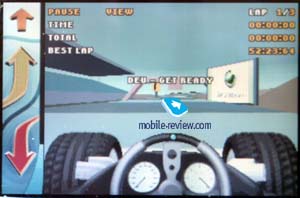
And some words about a system CD. It enables the user to load a definite language and switch the phone's user interface language. The first phones (aimed to the European market) will support the following languages: Danish, Dutch, English, Finnish, French, German, Greek, Italian, Norwegian, Portuguese, Spanish, Swedish, Turkish. No Russian. Hope, it will be realized later. This CD also contains a PC software for synchronization between the P800 and such applications as Lotus Notes, Microsoft Outlook, Lotus organizer. Moreover, P800 has a SyncML and, hence, it can synchronize data with modern applications which support a general standard. There are also many applications that can be used for reading documents in different formats, the most pleasing thing was to see a support of MS Word and MS Excel. Other important utilities are the following:
Next time we'll talk about interface, camera and some other features. Eldar Murtazin (eldar@mobile-review.com)
Published — 27 August 2002 Have something to add?! Write us... eldar@mobile-review.com |
Новости: 13.05.2021 MediaTek представила предфлагманский чипсет Dimensity 900 5G 13.05.2021 Cайты, имеющие 500 тысяч пользователей из России, должны будут открыть местные филиалы 13.05.2021 Amazon представила обновления своих умных дисплеев Echo Show 8 и Echo Show 5 13.05.2021 МТС ввел удобный тариф без абонентской платы - «МТС Нон-стоп» 13.05.2021 Zenfone 8 Flip – вариант Galaxy A80 от ASUS 13.05.2021 Поставки мониторов в этом году достигнут 150 млн 13.05.2021 Состоялся анонс модной версии «умных» часов Samsung Galaxy Watch3 TOUS 13.05.2021 Tele2 выходит на Яндекс.Маркет 13.05.2021 OPPO представила чехол для смартфона, позволяющий управлять устройствами умного дома 13.05.2021 TWS-наушники с активным шумоподавлением Xiaomi FlipBuds Pro 13.05.2021 В России до конца следующего года появится госстандарт для искусственного интеллекта 13.05.2021 ASUS Zenfone 8 – компактный флагман на Snapdragon 888 12.05.2021 Компания Genesis представила внешность своего первого универсала G70 Shooting Brake 12.05.2021 В России разработан высокоточный гироскоп для беспилотников 12.05.2021 В Россию привезли новую версию смарт-часов HUAWEI WATCH FIT, Elegant Edition 12.05.2021 Раскрыты ключевые особенности смартфона POCO M3 Pro 5G 12.05.2021 Honor 50: стали известны дизайн и другие подробности о смартфоне 12.05.2021 Чипсет Exynos 2200 от Samsung будет устанавливаться и в смартфоны, и в ноутбуки 12.05.2021 МТС начала подключать многоквартирные дома к интернету вещей 12.05.2021 iPhone 13 будет толще и получит более крупные камеры по сравнению с iPhone 12 12.05.2021 Xiaomi договорилась с властями США об исключении из чёрного списка 12.05.2021 Xiaomi выпустила обновлённую версию умного пульта Agara Cube T1 Pro  12.05.2021 Игровые ноутбуки с NVIDIA GeForce RTX 3050 Ti уже в России! 12.05.2021 Индийский завод Foxconn сократил производство в два раза 12.05.2021 Lenovo отказалась от очного участия в предстоящем в июне Mobile World Congress Подписка |